From the first benchmark shot to the final as-built PDF, Gradelog covers every step of the field operations workflow — built specifically for contractors running precision equipment.
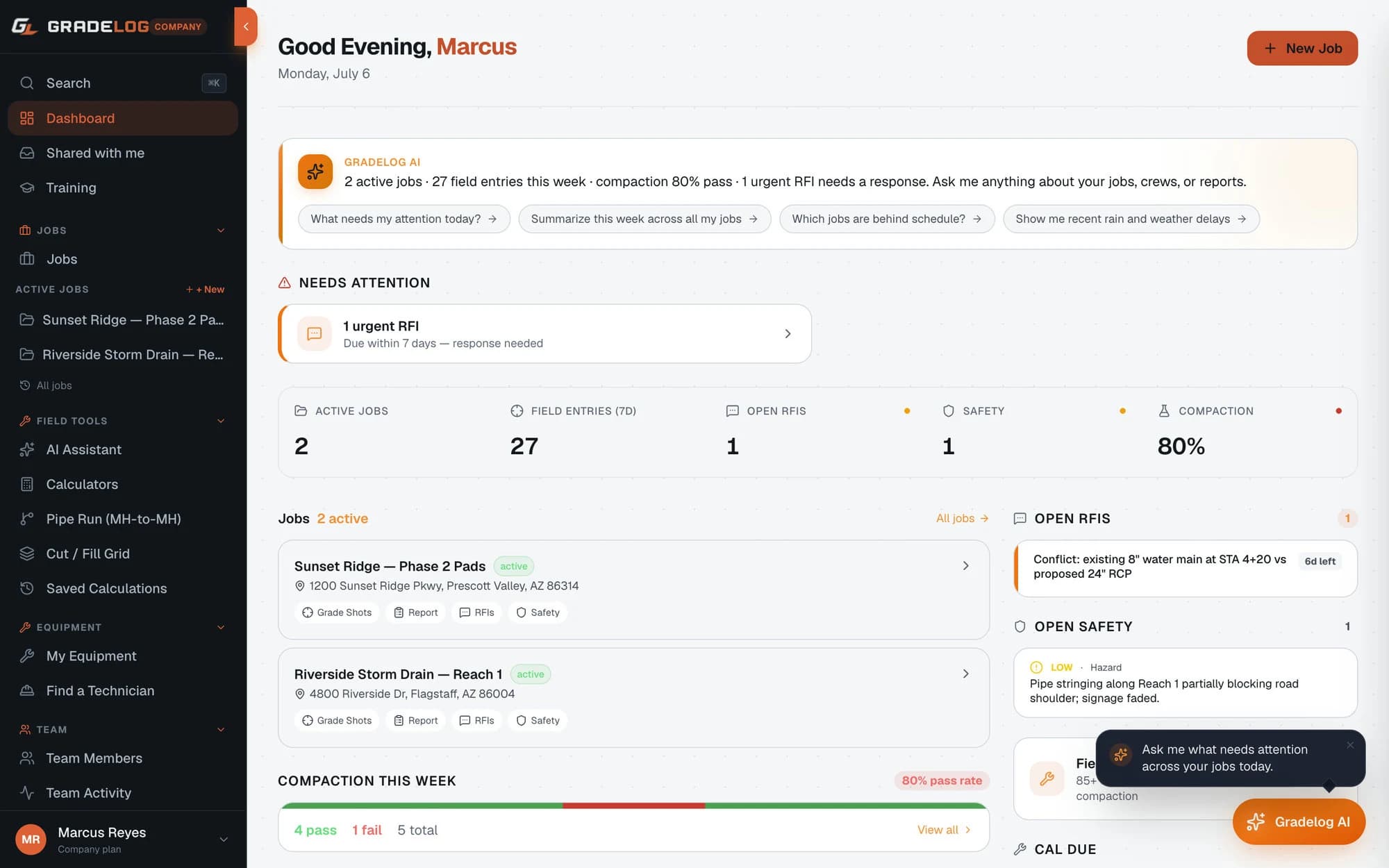
Every job has a home. Benchmarks, shot logs, crew, equipment, and documents — all organized and searchable.
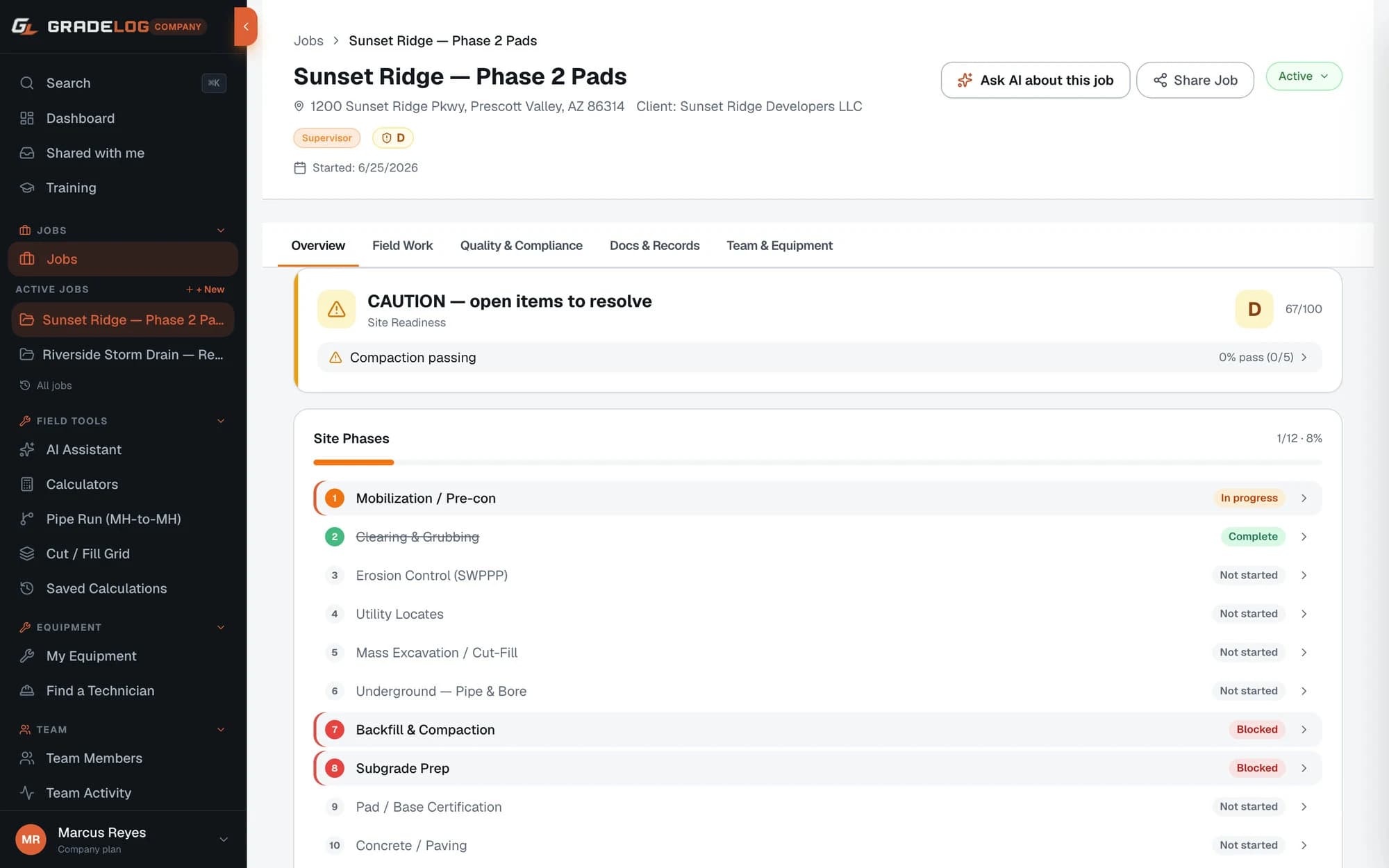
The Job Library is the backbone of Gradelog's field operations platform. Every project you run — whether it's a three-day grading job or a six-month sewer rehab contract — gets its own organized workspace with full field data history.
Each job stores your benchmark elevation, design grade targets, instrument setup heights, and every shot you log. Photos, PDF plans, data collector exports, and inspection documents attach directly to the job — no more hunting through email chains for the right file version.
Real-time updates mean your foreman in the field and your project manager in the office see the same data simultaneously. Crew members get access to only the jobs they're assigned to, and inspectors can be given view-only share links without needing a Gradelog account.
Job search works across project name, location, equipment used, and date range. You can pull up any job from the last three years in seconds — which matters when an inspector calls about a job that closed six months ago.
Every job has a home. Benchmarks, shot logs, crew, equipment, and documents — all organized and searchable.
Log rod readings, compare actual elevation to design grade, and visualize your entire pipe run in real time.
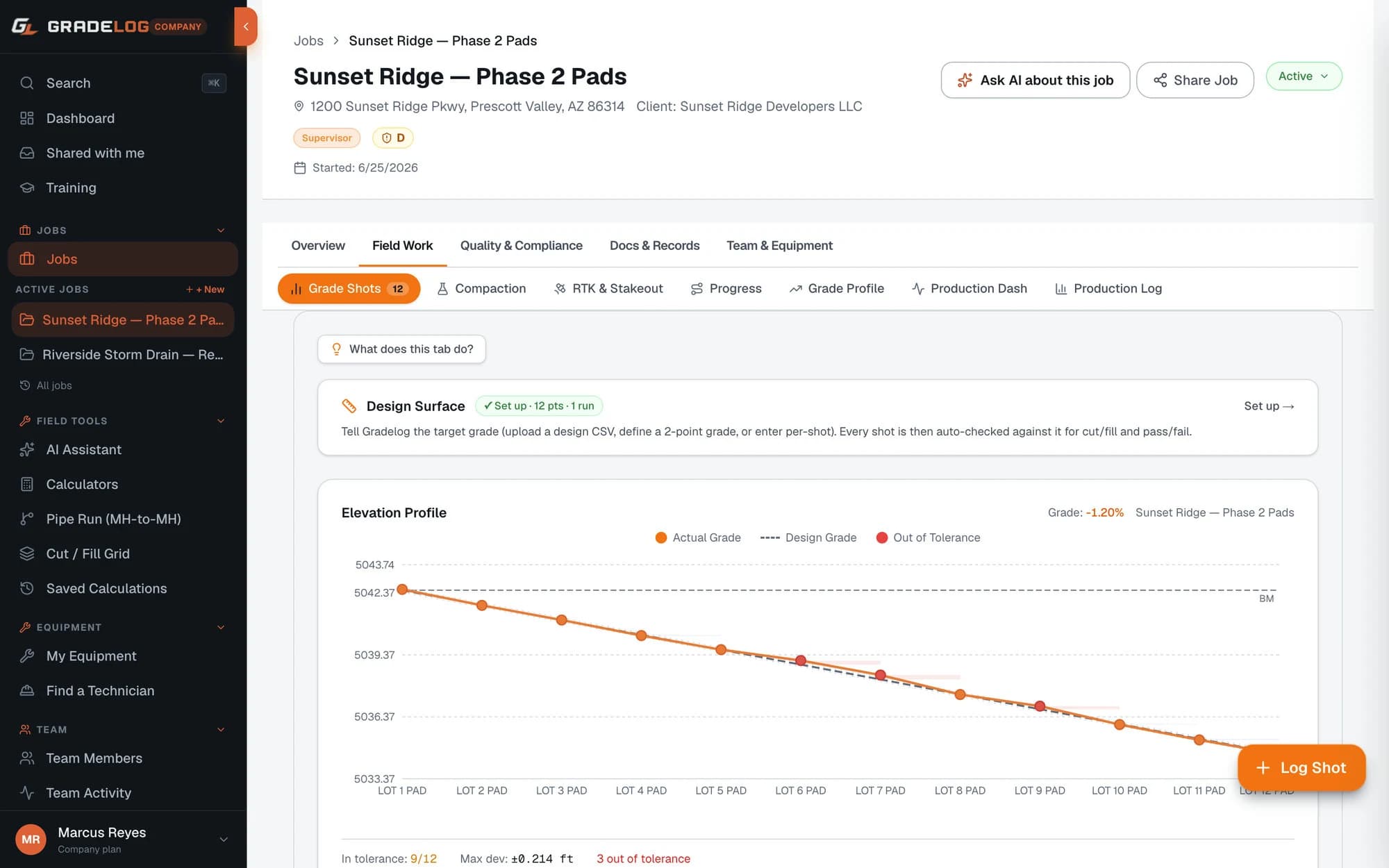
Grade verification is the core of what Gradelog was built to do. The question every contractor faces — are my pipes at the right grade? — gets answered with precision, not guesswork.
Log each rod reading with your station number, instrument height, and benchmark elevation. Gradelog automatically calculates the point elevation, compares it to your design invert, and flags any deviation beyond your tolerance threshold (0.05 ft is typical for sewer work; tighter for precision grading).
The elevation profile chart displays your entire pipe run visually: actual elevation as an orange line, design grade as a dashed reference, and deviation bands highlighted in yellow or red when you're out of tolerance. You see the whole picture at a glance rather than chasing individual numbers in a spreadsheet.
What is grade verification software? Grade verification software digitizes the process of comparing as-built elevations to design elevations in the field. Instead of logging shots on paper and manually calculating deviations back in the office, Gradelog does it instantly on-site — so you know immediately if a grade correction is needed before the concrete is poured.
Log rod readings, compare actual elevation to design grade, and visualize your entire pipe run in real time.
Complete manhole-to-manhole grade verification for CIPP pre-lining surveys and new sewer pipe installation.
The MH-to-MH Pipe Run Tool is purpose-built for sewer contractors running CIPP pre-lining surveys, new pipe installation, and as-built documentation of underground utility work.
How to track pipe grade on a construction site: Enter your upstream and downstream manhole invert elevations, pipe run length, and number of stations. Gradelog calculates the design grade percentage, expected invert at each station, and compares your logged shots to design — producing a full manhole-to-manhole grade verification table.
For CIPP pre-lining surveys, the tool generates the documentation required by most municipal specifications: upstream invert, downstream invert, grade percentage, total fall, pipe diameter, and maximum deviation from design grade. The report format matches what city and county inspectors expect to see for sewer rehab project submittals.
Pipe run data stores with the parent job and exports as a formatted PDF or CSV. Multiple pipe runs within a single project are supported — critical for larger sewer rehab contracts covering dozens of segments.
Typical pipe grade tolerances: ±0.02 ft for new PVC sewer, ±0.05 ft for CIPP rehab pre-lining surveys, ±0.01 ft for pressure pipe. Gradelog lets you set your own tolerance per job.
Complete manhole-to-manhole grade verification for CIPP pre-lining surveys and new sewer pipe installation.
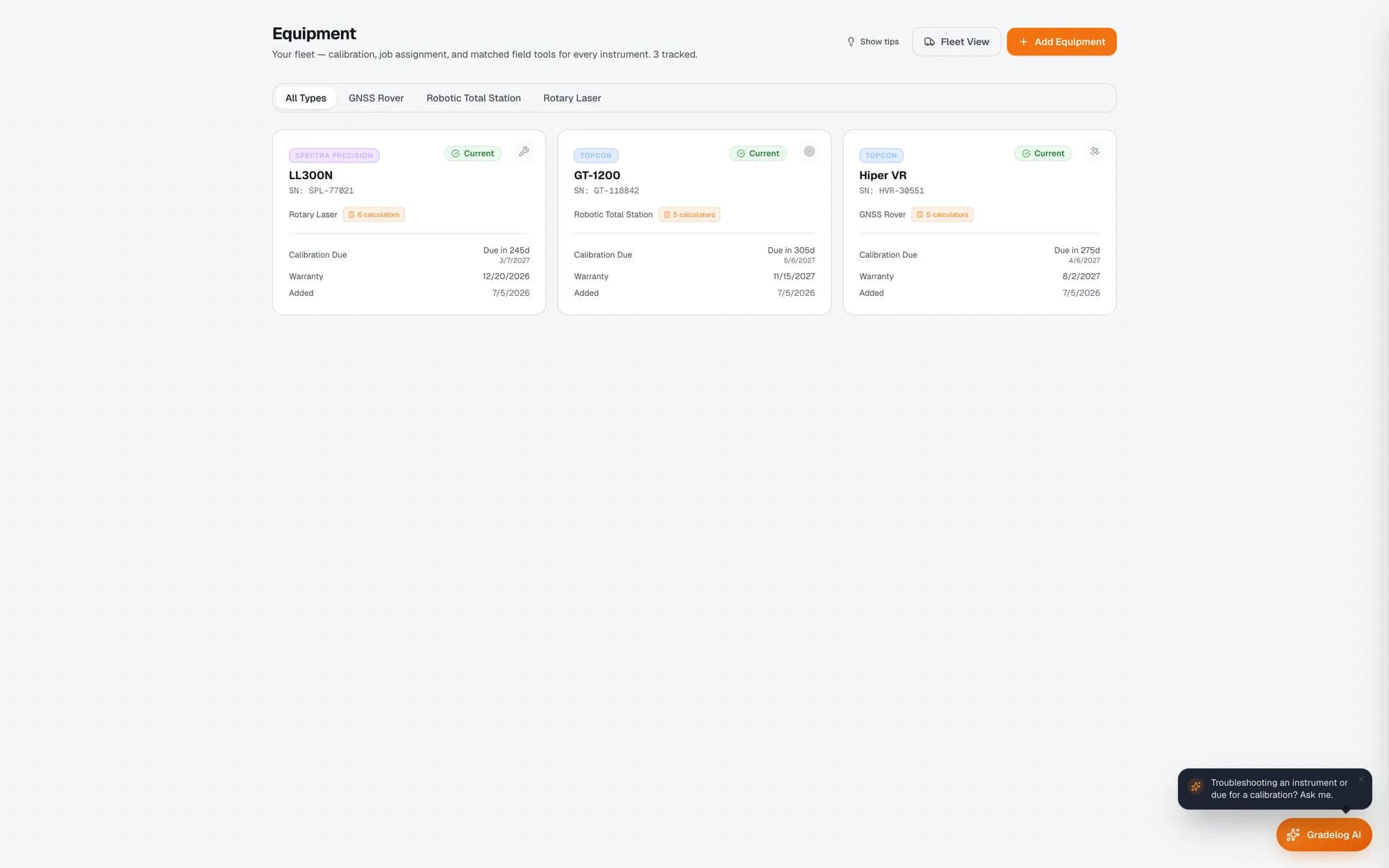
Track every instrument you own. Calibration alerts, service history, warranty expiration — all in one place.
A failed calibration check shuts down a job site. An instrument that's out of spec on an inspection project can cost more than a year of software subscriptions in rework. Gradelog's equipment registry prevents both scenarios.
Register every instrument you operate: Topcon RL-H5A laser levels, Trimble S7 total stations, Leica Sprinter rod levels, Spectra LL300N rotating lasers, GPS/GNSS receivers — any precision instrument with a calibration requirement. Set the calibration interval (typically every 6 or 12 months depending on manufacturer spec), and Gradelog automatically calculates the next due date and sends push notifications and email alerts before expiration.
Each instrument record stores serial number, purchase date, warranty expiration, current calibration certificate, and full service history. Every time you send an instrument for calibration or repair, log the service event with the shop name, date, cost, and returned calibration certificate — building a permanent, auditable service record.
For the Topcon RL-H5A calibration tracking app use case specifically: Topcon recommends annual calibration for their laser levels under normal field use. With Gradelog tracking your fleet, you'll never miss a calibration date again — and you'll have documentation ready for any owner or inspector who asks.
Track every instrument you own. Calibration alerts, service history, warranty expiration — all in one place.
Instant answers for equipment errors, field procedures, and grade calculations — 24/7, even when you're offline.
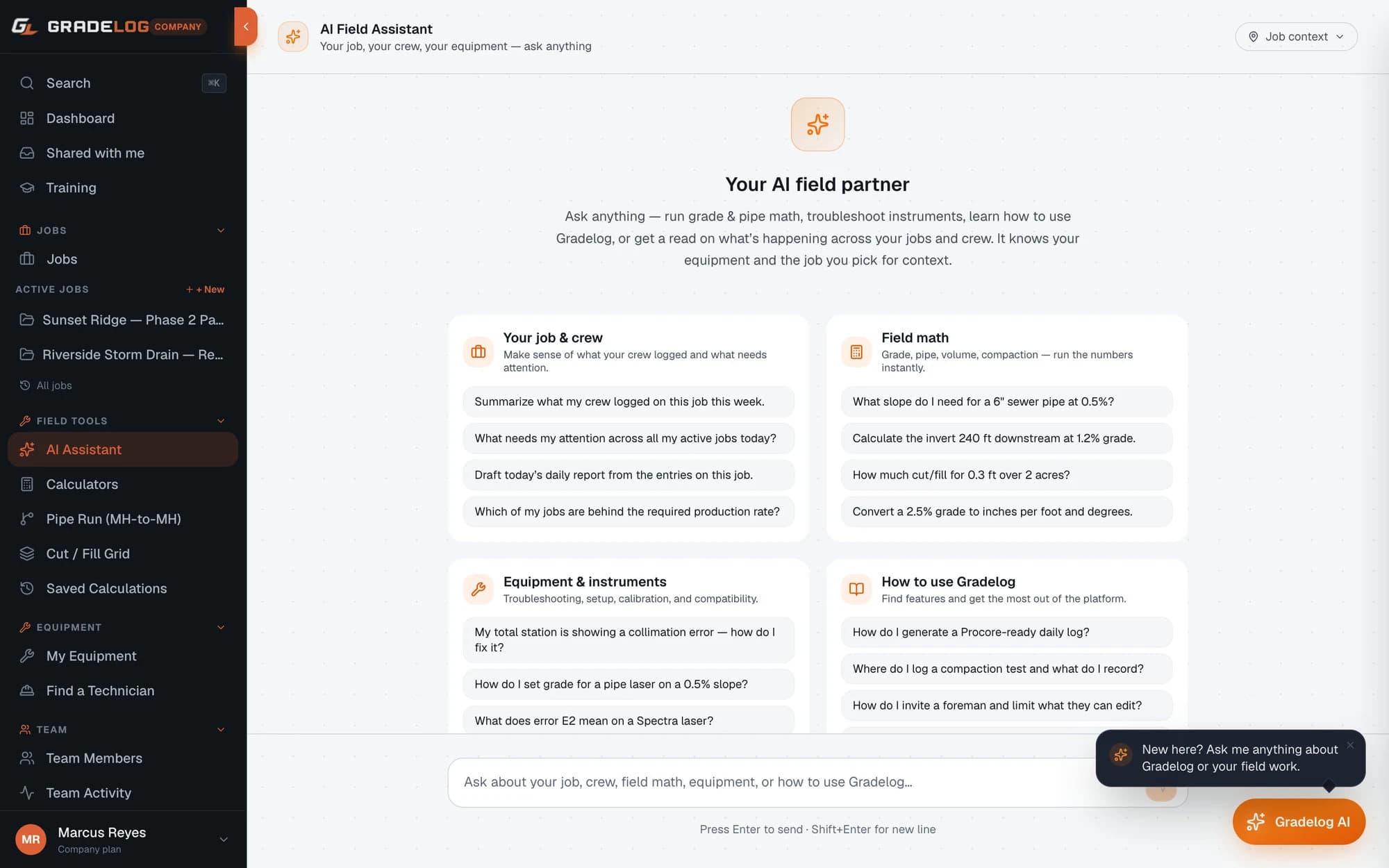
The AI Field Assistant is the fastest way to solve a field problem without calling your dealer or losing time hunting through a manual. It's trained on precision construction equipment documentation, field procedures, and contractor workflows.
*"My Topcon TP-L6 pipe laser is showing E-21. What does that mean?"* → "E-21 on the Topcon TP-L6 indicates a grade sensor error. First, check that the unit is set to the correct grade mode (manual vs. auto-grade). If the error persists, the internal pendulum compensator may need recalibration — place the unit on a level surface and run the self-leveling sequence. If E-21 continues after self-leveling, the instrument needs factory service."
*"What's the maximum allowable deviation for 8-inch VCP sewer at 0.40% grade?"* → "For new PVC or VCP sewer installation, most municipal specs require ±0.02 ft (¼ inch) per ASTM/WPCF standards. At 0.40% grade over 25-foot stations, your design fall is 0.10 ft per station — a 0.02 ft deviation equals a 20% grade variance, which most specs allow as acceptable."
Instant answers for equipment errors, field procedures, and grade calculations — 24/7, even when you're offline.
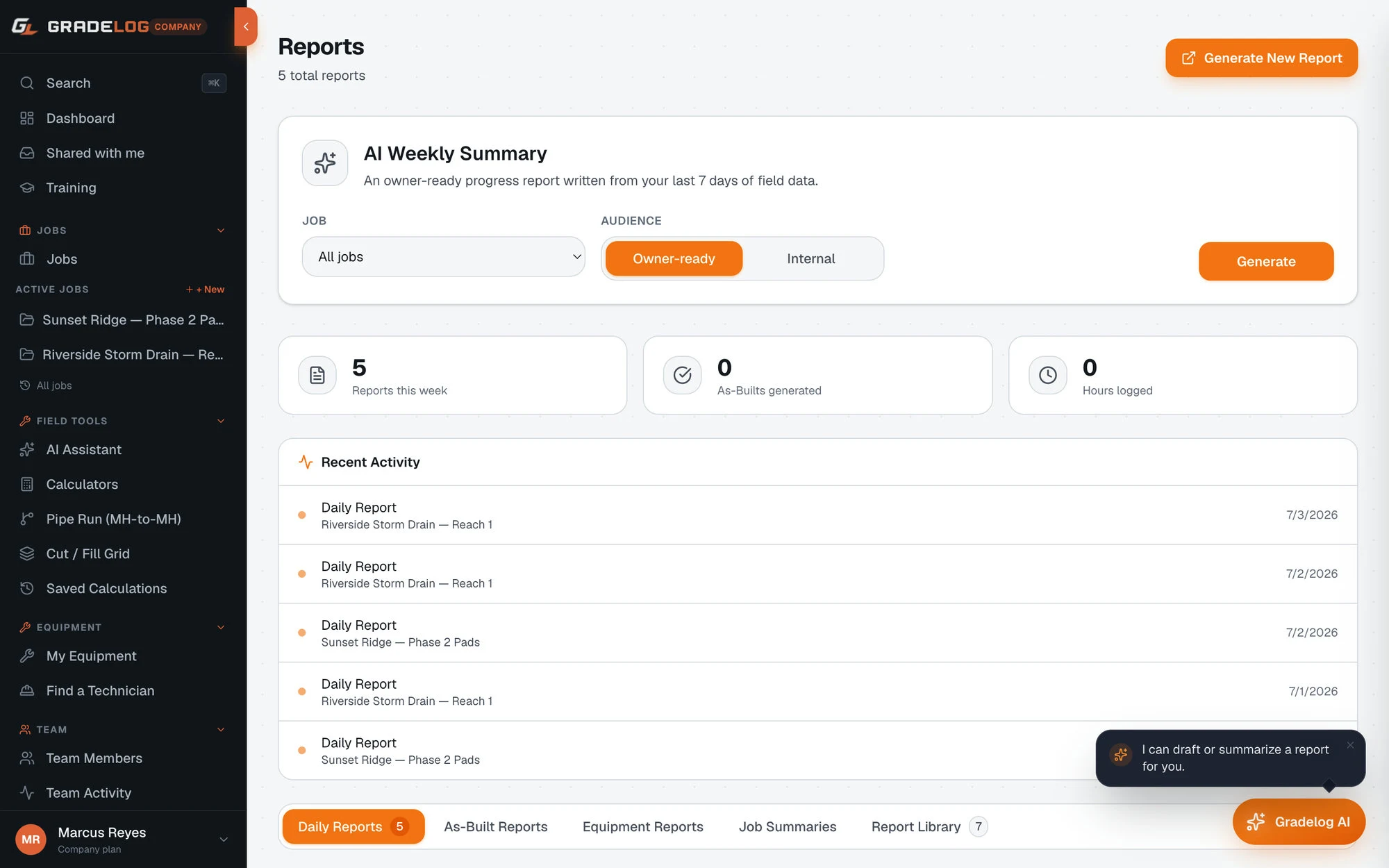
One-click professional as-built PDFs from your field shot data. Inspector-ready, date-stamped, and properly formatted.
What is an as-built report? An as-built report is a formal document proving that work was constructed according to design specifications — or documenting where it deviated and why. For underground utilities, this means pipe inverts, grades, pipe material, diameter, and manhole depths at every station.
Generating as-built reports used to mean spending Sunday night in Excel, copying numbers from paper logs into a document template and hoping you didn't transpose any digits. Gradelog generates the same document in one click, directly from your logged shot data.
The as-built PDF includes: project name and location, owner and contractor information, design grade vs. as-built grade at every station, maximum deviation, instrument used and calibration status at time of survey, field technician signature block, and company logo. The format is accepted by municipal inspectors across the US.
As-built generation is included in the Field Supervisor ($79/mo) and Company ($249/mo) plans.
One-click professional as-built PDFs from your field shot data. Inspector-ready, date-stamped, and properly formatted.
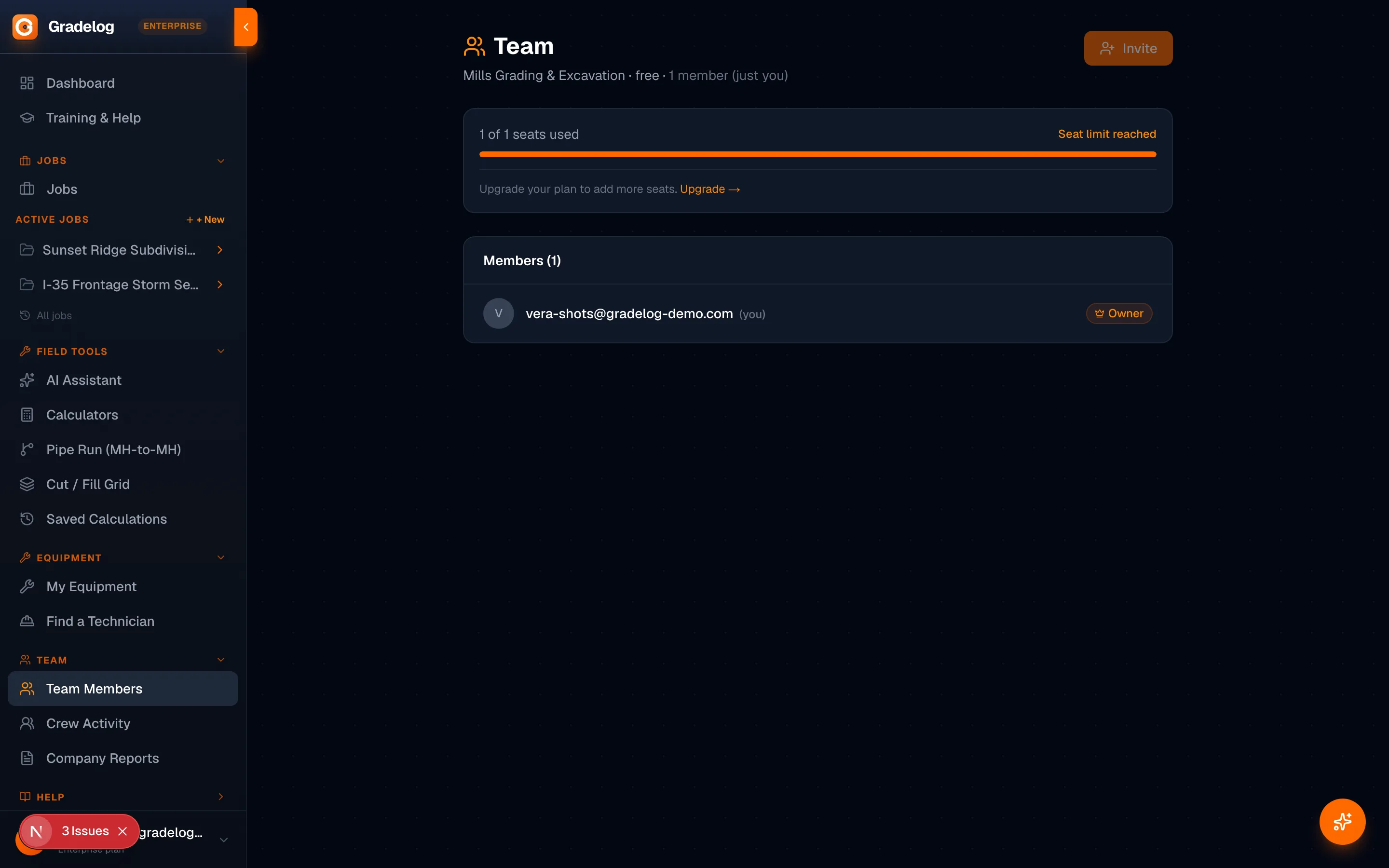
Invite your foreman, crew members, and inspectors. Everyone sees exactly what they need, nothing they don't.
Running multiple crews across multiple jobs means managing who has access to what — and making sure your inspector can see today's shots without getting full access to your entire company data.
Gradelog's crew management system lets you invite team members at the job level. Your foreman gets access to the jobs they're running. A laborer gets read-only access to the day's shot log to verify grade at their station. Your superintendent sees all active jobs. Your company admin sees everything.
Inspector sharing uses public share links — no Gradelog account required. Generate a share link for a specific job and send it to your city inspector or project engineer. They see the job's current shot log, grade profile chart, and the latest as-built PDF in a clean read-only view.
Crew roles available: Owner (full access), Admin (all jobs), Supervisor (assigned jobs + crew management), Technician (assigned jobs, can log shots), Inspector (view-only assigned jobs). Crew size limits: up to 3 members on Field Pro, unlimited on Company plan.
Invite your foreman, crew members, and inspectors. Everyone sees exactly what they need, nothing they don't.
Calculate cut and fill volumes across a grid of field shots. Essential for grading contractors and site work crews.
The Cut/Fill Grid Calculator is the digital version of what grading contractors have done manually for decades: establish a grid of elevation shots across a site, compare them to finish grade, and calculate how much material needs to move.
Set your grid spacing (typically 25-ft or 50-ft stations for rough grading, 10-ft for finish work), enter existing elevation and design elevation at each grid point, and Gradelog calculates cut or fill volume per cell in cubic yards — then totals them across the entire site.
Grade percentage calculator for grading contractors: The tool also calculates the average grade across any two points in the grid, making it easy to verify that your sheet drainage or swale grades are within spec before you walk off the job.
For large grading projects, the grid can be imported from a CSV matching your data collector format — eliminating manual entry of hundreds of grid points. Export the completed cut/fill analysis as a PDF table or CSV for your estimating records.
Cut/fill grid tool is included in Field Supervisor ($79/mo) and Company ($249/mo) plans.
Calculate cut and fill volumes across a grid of field shots. Essential for grading contractors and site work crews.
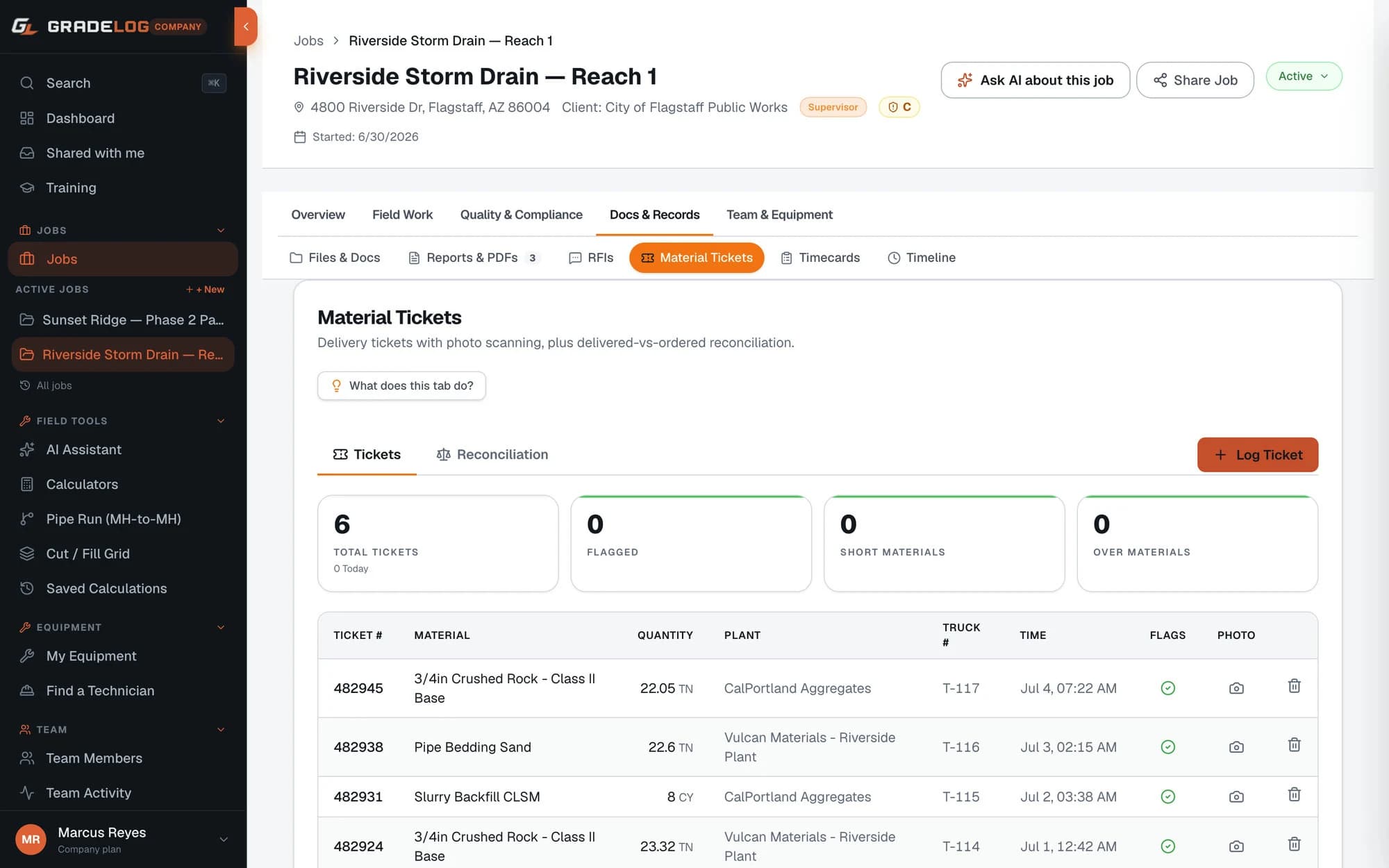
Full field operations documentation — delivery tickets with OCR, crew timecards with approval workflow, and RFI tracking. Everything a supervisor needs on a commercial job.
Commercial jobs require more than grade data. Gradelog's Field Supervisor plan adds the documentation layer that GCs and owners actually require.
Material Delivery Tickets: Log every concrete, asphalt, and aggregate delivery with quantity, mix design, truck number, plant name, and driver. Snap a photo of the delivery ticket — Gradelog's AI reads it and fills in the fields automatically. Running totals show CY, tons, and LF placed per job.
Timecards: Track crew hours by cost code. Workers submit timecards; supervisors approve or reject with notes. The full approval audit trail is exportable for payroll and owner billing.
RFI Tracking: Create Requests for Information, assign to team members, set due dates and priority, respond with notes and photos. Track open, answered, and closed status. Auto-incrementing RFI numbers per job — the paper trail your GC expects.
All three are included in the Field Supervisor plan ($79/mo).
Full field operations documentation — delivery tickets with OCR, crew timecards with approval workflow, and RFI tracking. Everything a supervisor needs on a commercial job.
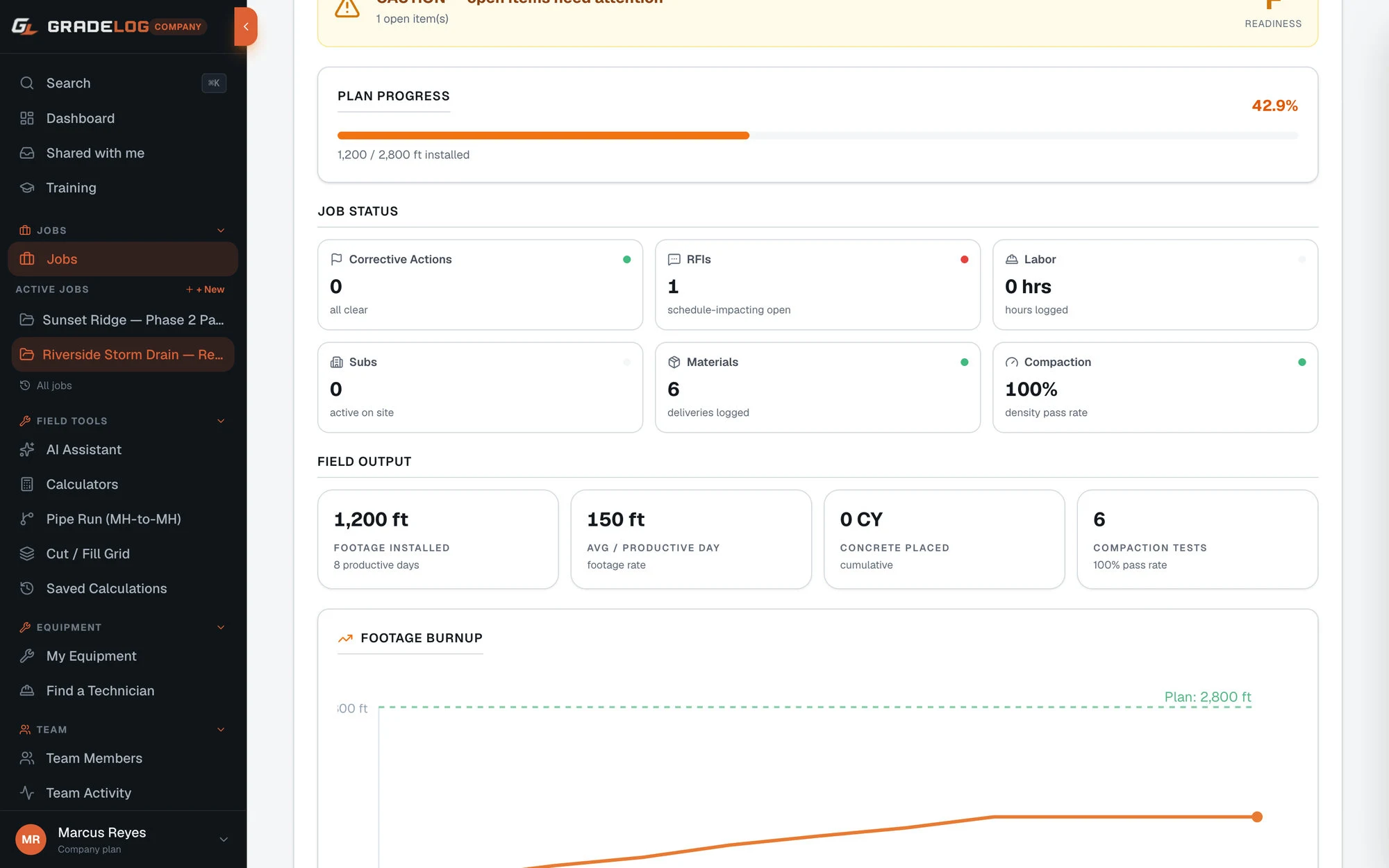
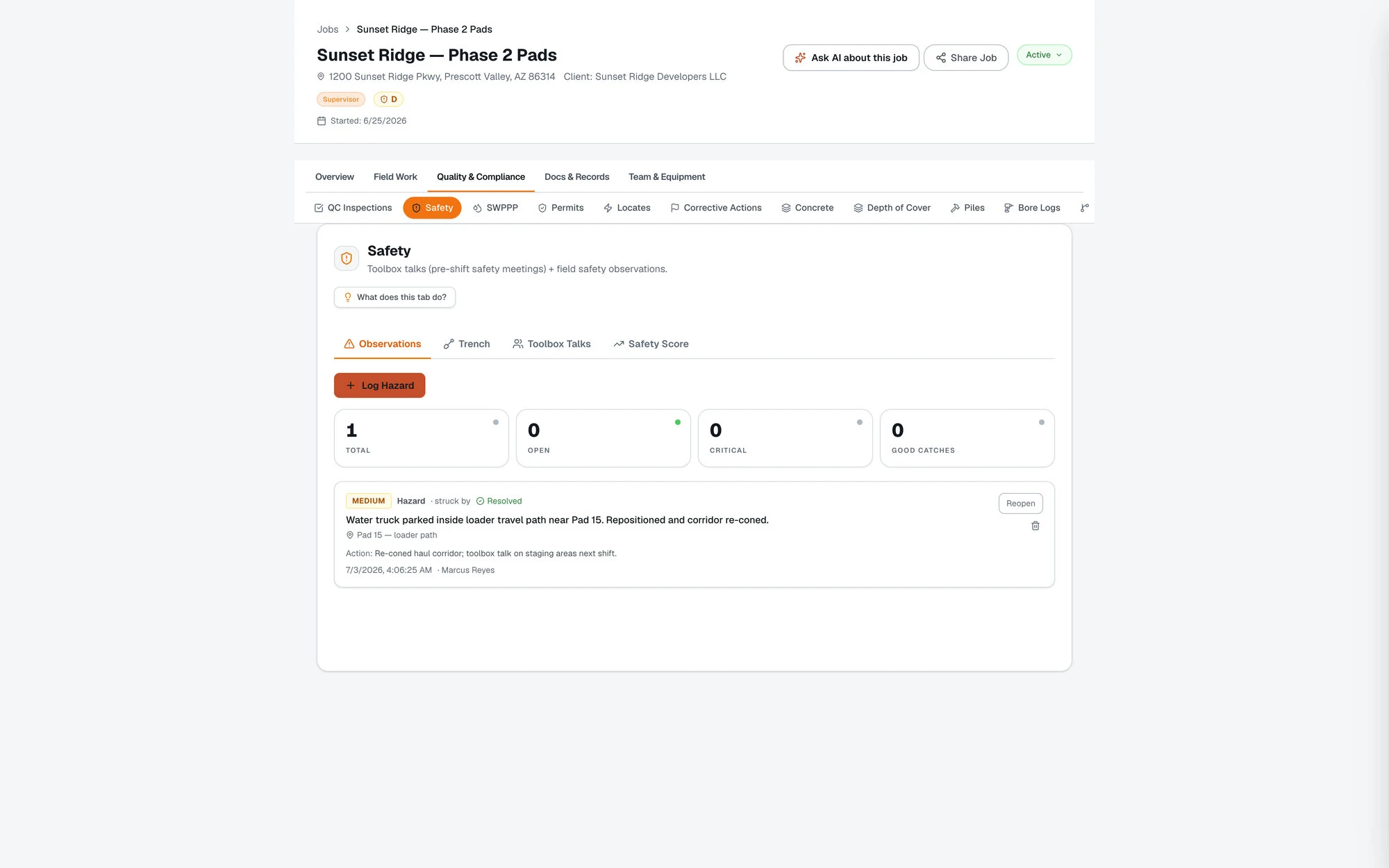
Pre-shift toolbox talks, safety observations, and bid-vs-actual production tracking. Required on commercial sites and critical for staying on schedule.
Safety Module (Field Supervisor+): Document pre-shift toolbox talks and in-progress safety observations. Log hazard type, location, severity, and corrective action. Required documentation on most commercial projects — protects your company and satisfies GC subcontract requirements.
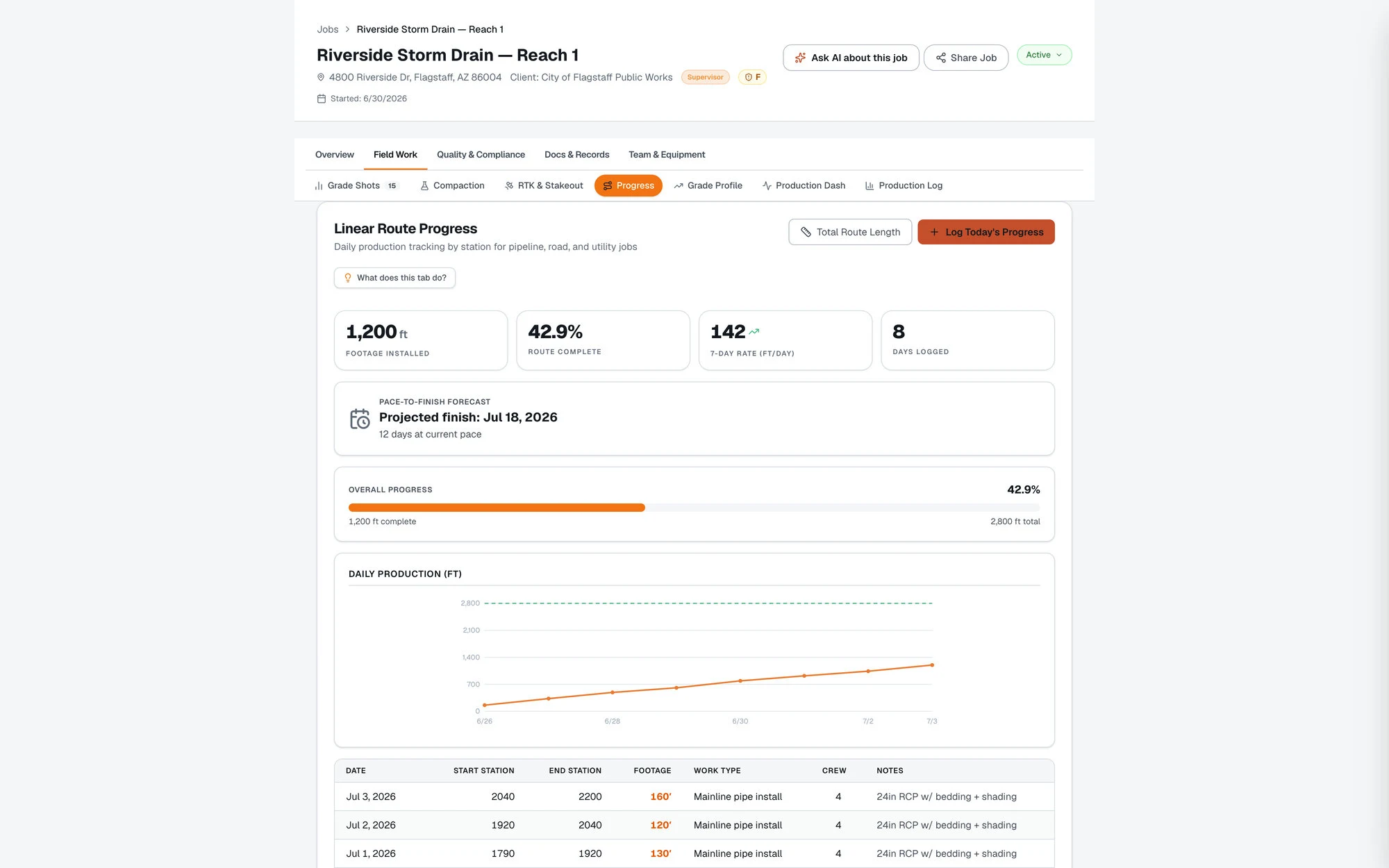
Production Log (Company+): Set bid quantities for the job (cubic yards, linear feet, tons). Log daily production. Gradelog calculates your 7-day rolling average vs the required daily rate to hit completion on time. A red flag appears when you're falling behind — before the GC calls you about it.
The burnup chart shows cumulative progress vs required pace across the life of the job. Use this to have data-backed conversations when schedule changes happen.
Sub Coordination (Company+): Track every subcontractor on a job — company, scope, contact, contract amount, and approval status. Pending approvals surface to the top so nothing slips through.
Pre-shift toolbox talks, safety observations, and bid-vs-actual production tracking. Required on commercial sites and critical for staying on schedule.
FAA Airport Grade Reports, UFC Military QC Reports, and EPC Solar As-Driven Reports. Industry-specific documentation that inspectors and owners actually require.
Specialty contractors work under specifications that generic field documentation software doesn't support. Gradelog's Enterprise plan ($499/mo) includes three industry-specific compliance report formats:
FAA Airport Grade Reports (AC 150/5370-10): Required for FAA-funded airport construction. Includes the specific tables, tolerances, and certification blocks that FAA inspectors expect. Station-by-station grade verification with pass/fail flags at spec tolerances.
UFC Military QC Reports: UFC 3-701-01 and related military construction quality control documentation. Includes the specific daily report structure required for military construction contracts.
EPC Solar As-Driven Reports: Pile installation documentation for utility-scale solar projects. Captures bore/invert/compaction data, pile depth, installation method, and deviation from design grade — organized by tracker row for easy reconciliation with the civil engineer's pile layout.
All compliance reports include digital certification blocks and are formatted to the standards inspectors and owners actually accept — not generic PDFs you have to reformat.
FAA Airport Grade Reports, UFC Military QC Reports, and EPC Solar As-Driven Reports. Industry-specific documentation that inspectors and owners actually require.
No credit card required. All features unlocked. Cancel anytime.
Start 14-day free trial