Grade Shots · Road & Highway
Road Grade
Checking
Document road and highway subgrade elevations against DOT design — station by station. GPS-tagged, tolerance-checked, and formatted for the resident engineer before you call for inspection.
What it does
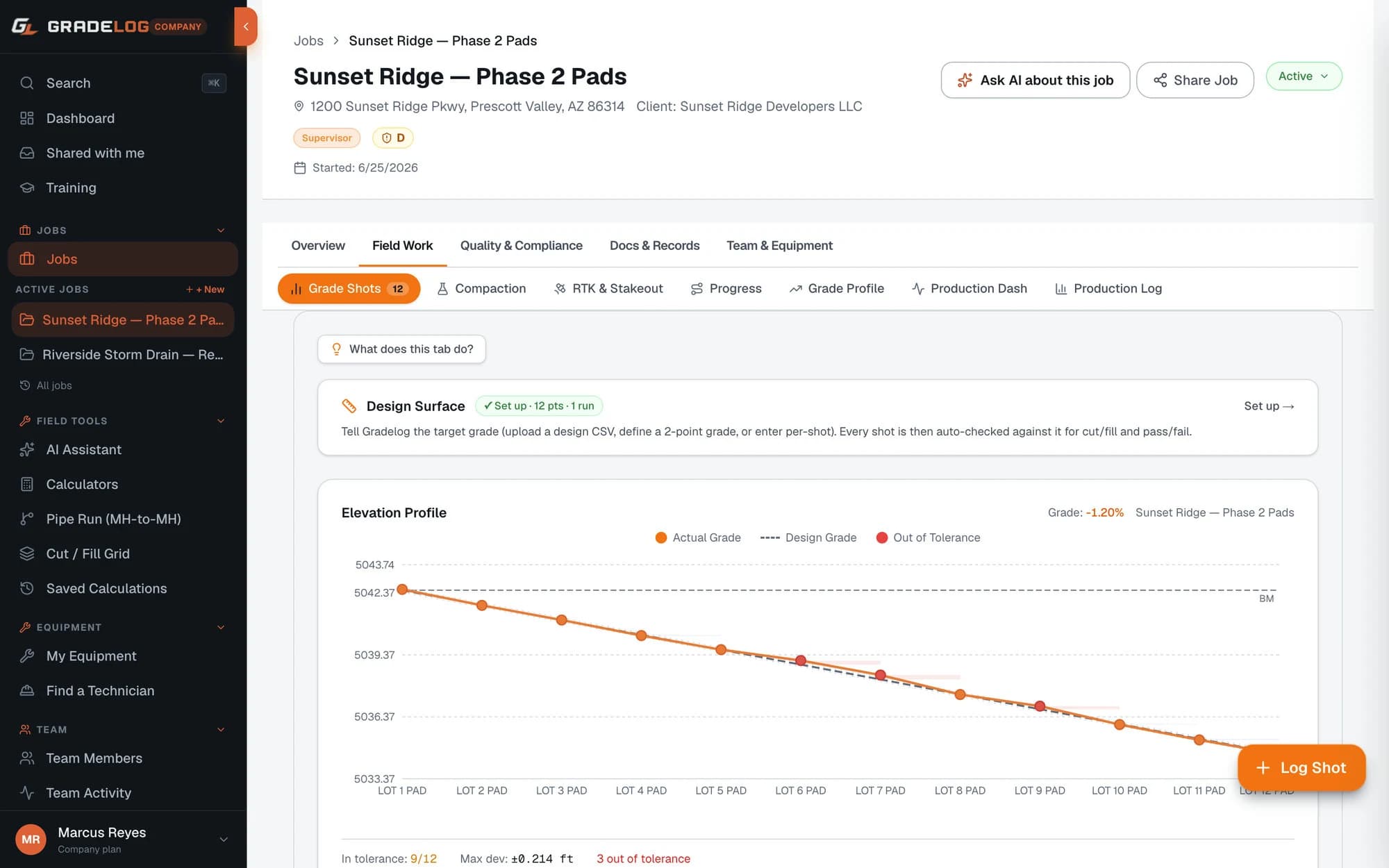
Station-by-station grade verification
- Log design vs as-built elevation at each 50-ft station
- Configure DOT tolerance per contract spec (typically ±0.05 ft)
- Out-of-tolerance stations flagged red immediately
- Centerline and shoulder shots on same job
DOT-ready documentation
- Report lists stations sequentially with design, as-built, and deviation columns
- Pass/fail summary at the end — instant QC overview
- GPS metadata on every shot for defensible record
- PDF export formatted for DOT inspector review
Import from survey equipment
- Topcon MAGNET Field, Trimble Access, Leica Captivate CSV import
- Grade checks from a GPS rover or total station
- Generic CSV with column mapping for any instrument
- No re-keying of survey data from your instrument
Share with DOT inspector
- Share the grade report via link — inspector opens it in any browser
- They download the PDF and approve or reject
- Approval timestamped in your Gradelog job
- No DOT inspector account required
How it works
01
Set up your road job
Create a job in Gradelog, enter design subgrade elevations from your plan sheets, and configure the DOT tolerance from your contract spec.
02
Log shots at each station
As your crew shoots grades at 50-ft intervals, enter each as-built elevation. Gradelog calculates the deviation and flags pass/fail at the moment of entry.
03
Correct out-of-tolerance stations
Rework flagged areas, reshoot to confirm, and document corrective action notes with photos before calling the inspector.
04
Share with the DOT inspector
Generate the grade report and share the link with your resident engineer. They review and approve digitally — you get a timestamped record for your job file.
Common questions
What grade tolerance does DOT use for road subgrade?
DOT subgrade grade tolerances vary by state and specification, but typically range from ±0.04 ft to ±0.10 ft for finished subgrade and ±0.05 ft for base course. AASHTO and FHWA specifications for federal-aid highway projects generally require ±0.05 ft on final subgrade. Gradelog lets you configure the tolerance per job to match your contract spec.
How do road grade shots work at 50-foot stations?
DOT specifications typically require grade checks at 50-foot station intervals (and any breaks in grade). In Gradelog, you enter the station label and design elevation for each shot. The report exports with stations listed sequentially — exactly the format DOT inspectors expect for subgrade acceptance.
Can I log grade shots offline on a highway project?
Yes. Gradelog is fully offline-capable. Road projects often span miles with no reliable cellular coverage. Crews log grade shots offline all day and data syncs automatically when connectivity is available. Nothing is lost and no duplicate entries are created.
What GPS metadata does Gradelog capture for road grade documentation?
Gradelog captures GNSS fix quality, satellite count, HDOP (horizontal dilution of precision), horizontal accuracy in meters, and correction age in seconds on every grade shot. This matches the GPS metadata a licensed surveyor documents and protects you if grade elevations are disputed during DOT inspection.
Subgrade verified.
Inspector called.
Free plan available. Cancel anytime.
Get StartedFree plan availableNo card to startCancel anytime