Grade Shots · Airport · Enterprise
Airport Grade
Verification
Document airfield grading to FAA AC 150/5370-10 standards with GPS-tagged grade shots at 50-ft stations. Generate CDA-ready submittals and share digitally — no site visit required for approval.
What it does
FAA AC 150/5370 compliant format
- 50-ft station intervals with design and as-built elevations
- Deviation column and pass/fail per station
- Aggregate pass rate summary for the section
- Instrument calibration reference and QC inspector name
GPS metadata on every shot
- GNSS fix quality, satellite count, HDOP, horizontal accuracy
- Northing, easting, and elevation per station
- Correction age in seconds for RTK shots
- Meets FAA documentation standards for GPS-based QC
CDA and airport authority submittals
- PDF formatted for CDA review and airport authority acceptance
- Share link — CDA approves without a site visit
- Approval timestamped in your job record
- Enterprise white-label branding on report headers
Import from survey instruments
- CSV import from Topcon MAGNET Field, Trimble Access, Leica Captivate
- RTK rover output files directly importable
- FAA projects require RTK-grade accuracy — Gradelog supports it
- Offline-first: log on site, sync when connectivity available
How it works
01
Set up the airport job
Create a job in Gradelog, enter design elevations from FAA plan sheets, configure station intervals and tolerance per AC 150/5370-10 for your project section.
02
Log shots at 50-ft stations
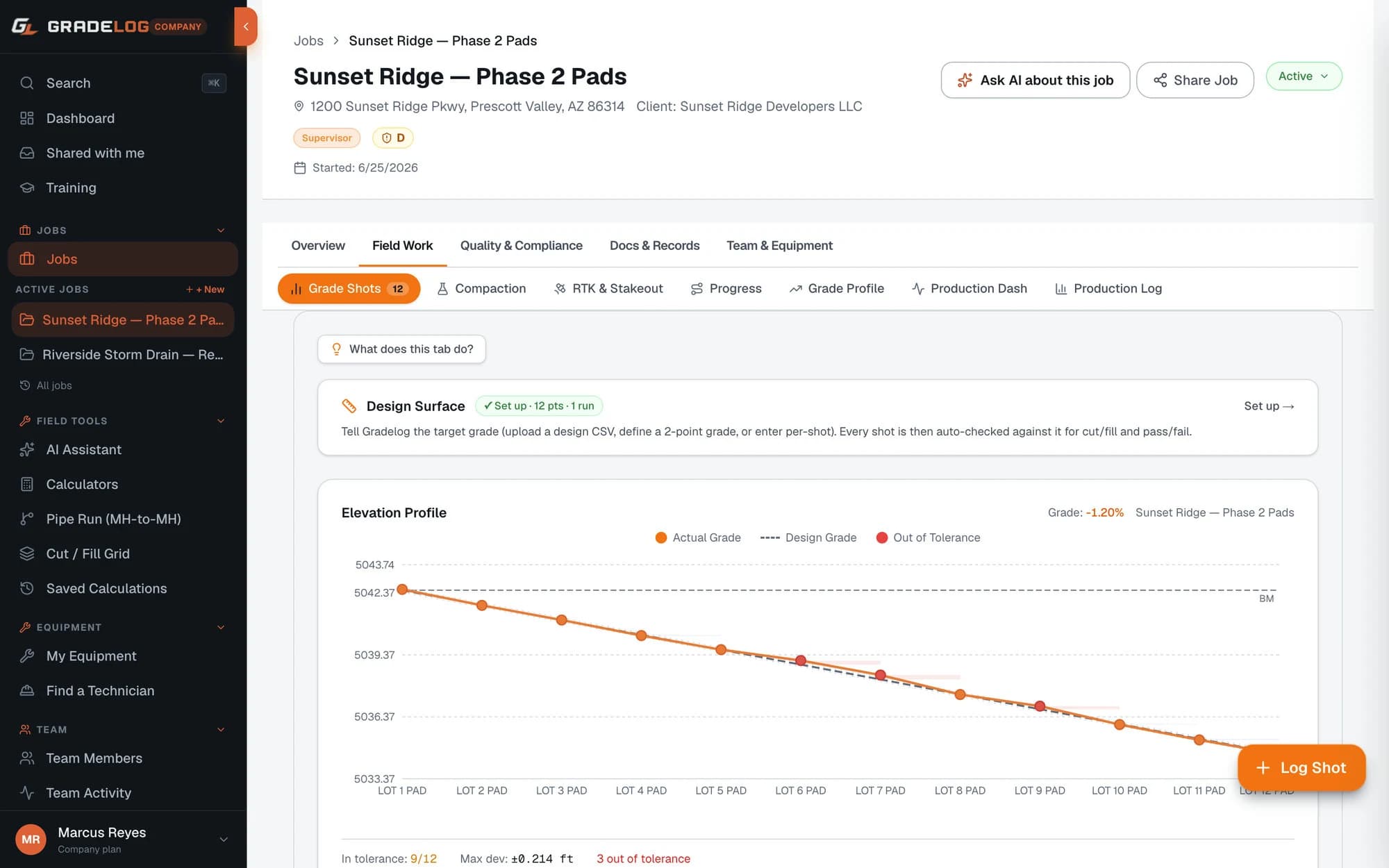
As your crew checks grade, enter each as-built elevation. Gradelog auto-calculates deviation and flags pass/fail. Any station outside tolerance is highlighted for immediate correction.
03
Correct and document
Rework flagged stations, reshoot to confirm conformance, and document corrective action with notes and photos before calling the CDA for inspection.
04
Submit to the CDA
Generate the FAA Airport Grade Report and share the link with your CDA or airport authority. They review and approve digitally — you have a timestamped, GPS-verified record.
Common questions
What are the FAA grade tolerance requirements for airport construction?
FAA Advisory Circular AC 150/5370-10 (Standards for Specifying Construction of Airports) requires grade checks at 50-foot station intervals for airfield pavement and earthwork. Tolerances are typically ±0.04 ft for subgrade and ±0.02 ft for pavement base course. Gradelog lets you configure tolerance per job section to match the FAA spec for your project.
What is required in an FAA grade verification submittal?
FAA grade verification submittals for airport projects include: station number, design elevation, as-built elevation, deviation, and pass/fail for every check point. The CDA (Construction Document Administrator) also typically requires GPS coordinates, instrument calibration reference, and the name of the QC inspector for each session. Gradelog's FAA Airport Grade Report template includes all required fields.
Which Gradelog plan includes the FAA Airport Grade Report?
The FAA Airport Grade Report is available on the Enterprise plan ($499/mo). Enterprise includes all 7 report types, white-label branding, unlimited jobs, and the specialized airport and military QC report formats required for federal-aid projects.
Can I share the FAA grade report directly with the airport authority?
Yes. The report generates a shareable link that your CDA or airport authority contact opens in any browser — no Gradelog account required. They can review the full shot table, download the PDF, and approve or reject digitally. The approval decision is timestamped in your job record.